.png)
ViVE Investor Connect: Founders Info
Welcome to the investor connect program!
- As a Founder, all meetings are investor led, meaning you won't see the list of Investors on the app.
- All participating Investors will see a list of founders in the app (including you!) and be able to send meeting requests.
What can I do as a Founder to help get meeting requests?
- Log in to the ViVE event app
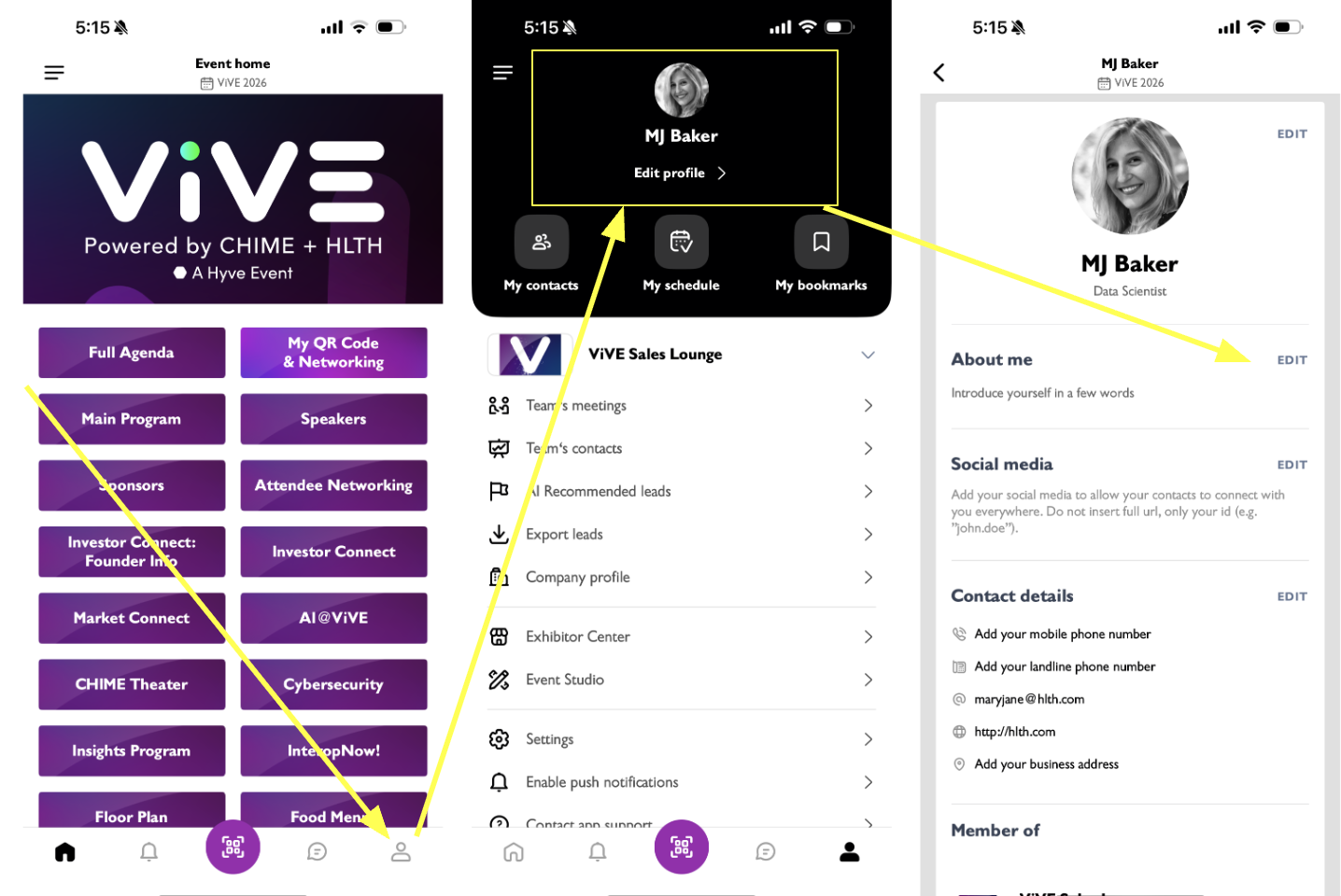
- Navigate to your profile page and edit your profile to make sure it showcases who you are.
- Since meetings are Investor-led (i.e. Investors choose who they want to meet) it’s important that Investors can see who you are and why they’d want to meet with you.
- The profile page is what Investors see about you when deciding who to meet with.
- Your profile details are based on the information you provided when registering for ViVE 2026, but you can add further details if you'd like.
- The more information provided, the more Investors will be able to find you!
What happens if an investor wants to meet with me?
You will receive a notification within the ViVE Event app from any Investors who request a meeting with you. You’ll know it’s a meeting request for an Investor Connect meeting, because the location on the email will be Investor Connect lounge.
You will also get an email of this meeting request if it has gone unanswered in the event platform for a few hours.
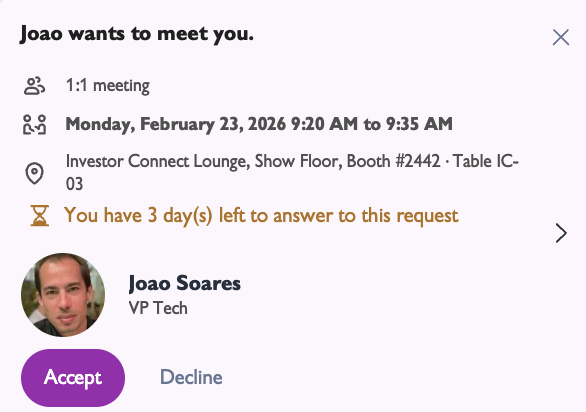
Respond to the request to meet by clicking on accept or decline on the notification or in the email you can slelct Reply to the request. Once accepted, the meeting will show in your schedule.
See your scheduled meetings in the app
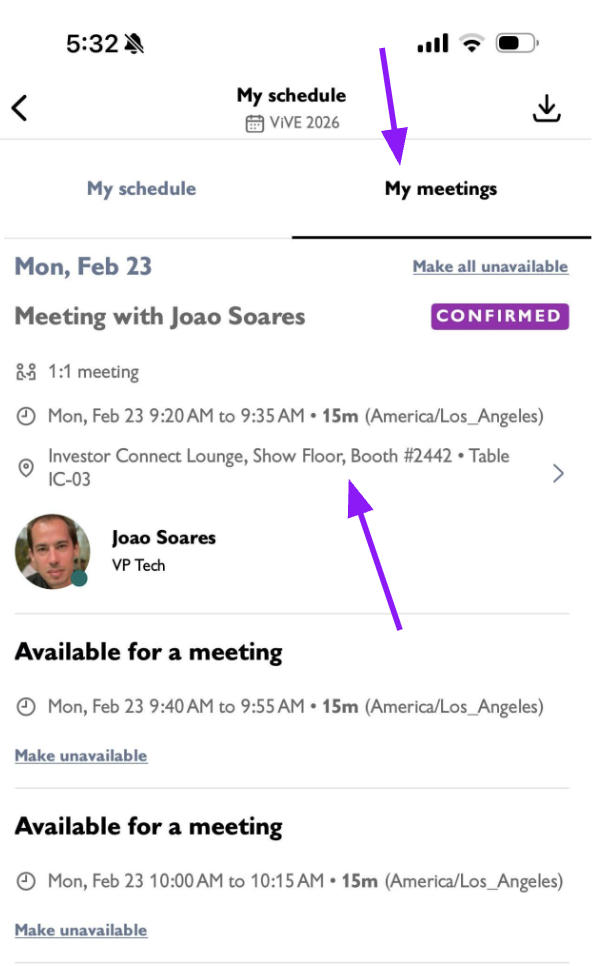
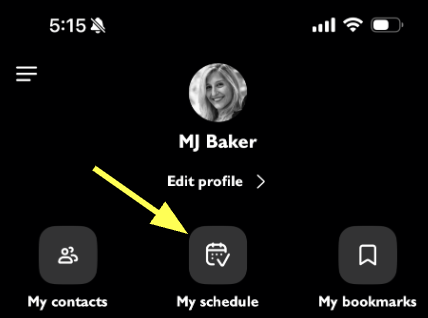
On the main app homepage, navigate to your profile, and select my schedule and you'll see your meetings.
- There are 5 icons on the top of the page - the calendar icon shows your full schedule with all meetings and any save sessions
- The second icon of the two people shaking hands will show only your meetings
- You can click on any meeting and message the Investors before you meet with them